
White Label Telegram Mini App for Creators and a Directory of Your Own
· 4 min read · 18+ readers

Some agencies, networks and larger creators do not want to send their audience to somebody else's app. They want a  Telegram Mini App with their own name, colours and rules, where their creators have profiles and fans can find them. That is what people mean by a white label creator Mini App and directory. This guide explains the idea in plain language, what you can usually brand, what to decide before you start and what a build tends to involve. It is for adults 18+, safe for work, and makes no promises about audience or income. Details of any particular build depend on the project.
What "white label" means
White label means a product built by one company and presented under another company's brand. In this case, the software behind a creator directory and Mini App is shared or reused, while the name, logo, colours, domain and bot belong to you. Your audience sees your brand, not ours.
Compare that with joining an existing platform such as  TSocial, where creators list themselves on a shared site. That is simpler and free to start. A white label build suits you when you need control: your own rules, your own look, your own audience data and your own bot.
What a creator Mini App and directory contains
The exact scope is yours to choose, but typical pieces are:
- A home feed or featured list of creators and posts.
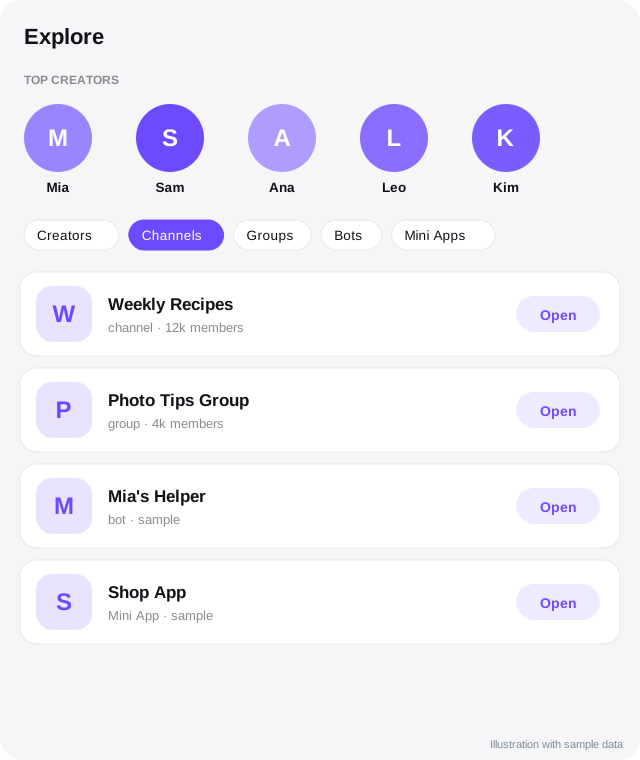
- Creator profile pages with a photo, bio, links and a button that opens a chat or channel in Telegram.
- A directory that lets people browse and search by category.
- Sign-in with Telegram, so people do not need new passwords.
- A bot that opens the Mini App from a menu button and sends notifications.
- An admin area where you approve creators, edit listings and remove content.
- Optional extras such as topics, clips, boosts and shoutout tools. See Mini Apps for creators.
Ask for the smallest version that does the job first. You can add features after you see real use.
Who it suits
- Agencies and networks that manage several creators and want one branded front door.
- Communities that want a searchable list of members.
- Large creators who want a profile and link experience that does not carry other people's branding.
- Brands that run an ambassador or affiliate programme and want a place to show it.
It is probably too much for a creator with a few hundred followers, who is better served by a link in bio page or a listing on an existing directory.
What you can brand
- Name, logo and colours, including light and dark themes.
- The bot's name, username and profile picture. See how to create a Telegram bot.
- Your own web domain for the public pages, so search engines see your brand. See branding and domains.
- Wording: welcome text, rules, 18+ notices and legal pages.
- Categories and the creator application form.
What to decide before you start
- Audience. Who will use it and why would they come back?
- Rules. What content is allowed, and how will you enforce it? Telegram has its own terms, and so do payment providers. See 18+ content rules on Telegram.
- Moderation. Who reviews listings and reports? A directory without moderation fills with spam quickly.
- Data and privacy. What data will you store about creators and fans, and who is responsible for it?
- Money. Will you charge for listings, take a share of sales, or keep it free? Be honest in your terms.
- Ownership. Who owns the code, the domain, the bot and the database if the project ends? Write it down.
How a build usually goes
- Scope call. You describe what you need and what you do not.
- Branding. You supply a logo and colours, or we help with a simple identity.
- Setup. The bot, the domain and the app are configured for you.
- Content. You add the first creators and test with a small group.
- Launch. You announce it to your audience, with moderation ready.
- Care. Plan for updates, backups and support after launch.
Timelines and costs depend on scope, so be wary of any vendor who quotes a fixed price before understanding what you want.
Risks to plan for
- A directory with few creators looks empty. Launch with enough listings to feel alive.
- Spam and impersonation need active moderation.
- Telegram's rules and features change, so the app needs maintenance.
- Adult-oriented content brings extra rules from Telegram, app stores and payment providers. Keep public pages safe for work.
Talk to us
If you want a branded creator Mini App and directory for your agency or community, we can discuss scope, branding and ownership with you. contact us with a short description of what you have in mind.
Frequently asked questions
Is white label the same as joining TSocial?
No. Joining TSocial means listing on a shared platform. White label means a separate app under your own name, domain and bot.
Can I use my own domain?
Usually yes. Using your own domain helps your brand and search visibility. See branding and domains.
Who owns the data?
That should be agreed in writing before the project starts. Ask for clear ownership and export terms.
Will it make money?
We cannot promise that. A Mini App is a tool. Results depend on your audience, your offer and how you run it.
Related guides
Telegram Mini Apps for Creators: What They Can Do
How creators can use Telegram Mini Apps: link pages, shops, member areas, games and tools. Includes launch options, Stars, design and safety tips.
Branding and Domains for Your Own Telegram Mini App
How to brand a Telegram Mini App and bot: names, usernames, logo, colours, themes, your own domain, HTTPS, email and search visibility, with a checklist.
What to Ask a White Label Telegram Mini App Vendor
A buyer's checklist for agencies and creators hiring a white label Telegram Mini App provider: ownership, data, rules, support, costs, exit and red flags.
A White Label Creator Link and Mini App on Telegram, Under Your Brand
How agencies and creators can offer a branded link page and chat Mini App on Telegram: profile, links, chat button, paid access options and safe-for-work setup.
Telegram for Creator Agencies: A Practical Guide
How creator agencies can use Telegram professionally: channels, groups, bots, Business tools and Mini Apps for managing talent, communication and growth.
All topics: White label Mini Apps · Guide index · Explore Telegram · About TSocial