
Link in Bio Tools for Telegram Creators
· 4 min read · 18+ readers

Most social apps let you add one link to your profile. A link in bio page is a simple web page that holds several links behind that one link. For a creator, it is the front door: it should explain who you are, show your best destination first and make every tap count. This guide helps you decide what to put on it and how to choose a tool. We do not rank products, because features and pricing change.
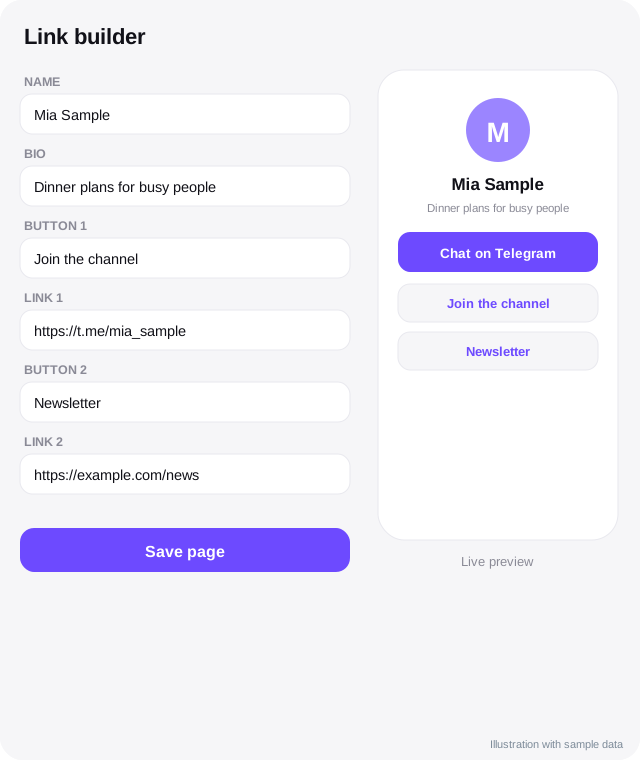
What a good link page contains
- Your name, photo and one line about what you do.
- A main button for your most important goal, such as "Join my
 Telegram channel".
- Two or three secondary links: your shop, your newsletter, your latest video.
- Contact for business enquiries.
- A short note about 18+ if relevant.
Fewer links convert better. Ten buttons create choice paralysis.
Types of tools
- Hosted link page services. You sign up, add links and pick a theme. Some are free with limits, others charge for analytics, custom domains or removing branding.
- Your own website page. A single page on a domain you own. Full control and good for search.
- A Telegram Mini App page. A profile page inside Telegram that opens on tap. Directories such as
 TSocial offer creator profile pages with a chat button. See Mini Apps for creators.
- A bot menu. A Links command in your bot. Good for people already in Telegram.
You can combine them, for example a link page for social bios and a bot menu for people in Telegram.
Examples of link and creator page tools
These are examples you may come across. We have not compared their features, rules or pricing, so check each site and its terms before you choose.
| Tool | Kind of tool |
|---|---|
 Linktree | General link in bio page service |
 Telescope | Creator page and chat tool aimed at Telegram creators |
 TLINK.ME | Creator link page aimed at Telegram creators |
| TSocial | Free directory and creator profile pages inside Telegram, with a chat button |
 Telesocial | The darker address of the same TSocial app |
How to choose
Ask:
- Rules: does the service allow your type of content? Read its acceptable use policy. Services can remove pages that break their rules.
- Speed: does the page load fast on mobile?
- Analytics: can you see clicks per link and per source?
- Custom domain: can you use your own address, so you are not locked in?
- Export: can you take your data with you?
- Privacy: does it track visitors in ways you need to disclose?
- Cost: is the price fair for the features you will actually use?
Setting up Telegram links
- Use a public
t.me/yourchannellink for the channel and at.me/yourbotlink for the bot. - Test links on both iPhone and Android and on desktop.
- For deep links to a bot with a source tag, use
t.me/yourbot?start=source. - Keep a backup link, such as a second channel, in case one is limited.
Tracking
Create a different link or tag for each platform, such as one for  Instagram and one for
 TikTok. After a few weeks, you will know which sources bring clicks and which convert to joins. See what to track.
Design tips
- Put the main button above the fold on a phone.
- Use clear, benefit-focused labels: "Get weekly tips on Telegram".
- Use strong contrast and large tap areas.
- Keep the image small so the page loads fast.
- Review the page monthly.
Rules and honesty
Keep your link page honest and within the rules of the platforms that link to it. Do not hide the nature of a link, and keep public pages safe for work. For promotion guidance, see promoting safely.
Common mistakes
- Too many links.
- An outdated link that leads nowhere.
- No clear first step.
- Slow, heavy pages.
- Relying on a service you cannot leave.
Quick checklist
- Main button above the fold on a phone.
- Three to five links at most.
- Short benefit based labels.
- Telegram links tested on iOS, Android and desktop.
- A separate tagged link for each platform.
- Own domain if the tool allows it.
- Export option checked before you commit.
- Monthly review of clicks and old links.
Keeping it healthy
A link page is not a set and forget item. Every month, click every button as a stranger would, remove dead links, check the loading speed on mobile data and look at which links get the most taps. If a link gets no clicks for two months, remove it. If one link gets most clicks, move it to the top and consider whether the others need to exist. Simpler pages usually convert better, and a page that always works builds trust with people who come back to it.
Frequently asked questions
Do I need a link in bio page if I have only one link?
No. Use the direct link. A page helps when you have several destinations.
Is a Mini App profile better than a web page?
It is better for people already in Telegram. For social bios, a normal web page may be easier for visitors.
Can the link service see my traffic?
Usually yes. Read its privacy policy.
How often should I update it?
At least monthly, and whenever your main goal changes.
Related guides
Bios and Pinned Posts That Turn Visitors into Followers
Write a Telegram bio, channel description and pinned post that explain who you are, what people get and what to do next, with examples and checks.
Instagram to Telegram: Move Followers to a Channel You Control
How to bring Instagram followers to a Telegram channel: bio link, Stories, Reels, broadcast channels, wording that works and rules to respect.
TikTok to Telegram: Turn Viewers into Subscribers
How to bring TikTok viewers to Telegram: bio link, video calls to action, series, comments, safe wording and rules to check before you post.
Telegram Mini Apps for Creators: What They Can Do
How creators can use Telegram Mini Apps: link pages, shops, member areas, games and tools. Includes launch options, Stars, design and safety tips.
From Social Post to Subscriber: A Telegram Funnel Step by Step
A simple creator funnel using Telegram: social post, link page, channel, welcome message, conversation and offer. Includes what to measure at each step.
How to Get Your Channel, Bot or Mini App Listed in a Telegram Directory
Step by step: submit your Telegram channel, group, bot or Mini App to TSocial Explore. Tap +, enter the @username and the details load from Telegram.
More in Promotion and ads
- How to Promote a Telegram Channel for Free
- Shoutout Swaps and Cross Promotion on Telegram
- Shoutouts and Cross-Promotion: How to Vet a Partner First
- Telegram Ads for Creators: What to Know Before You Spend
All topics: Promotion and ads · Guide index · Explore Telegram · About TSocial