
Branding and Domains for Your Own Telegram Mini App
· 5 min read · 18+ readers

If you are building or commissioning a  Telegram Mini App under your own name, the brand pieces matter more than they look. Names, usernames, colours and domains are hard to change once people have shared links. This guide walks through each piece, what Telegram controls and what you control, and gives you a checklist. It is general guidance for adults 18+ and teams of any size. Telegram's rules and tools change, so confirm details in its official documentation.
The pieces of a brand on Telegram
- The bot. Every Mini App is attached to a bot, and the bot has a display name, a unique username that ends in "bot", a profile picture and a description.
- The Mini App itself. It has a title, an icon and a short name that can appear in a direct link.
- The channel and group. Your announcements and community usually live in a channel and a discussion group with their own names. See channel names and usernames.
- The web domain. The Mini App is a website. The domain you host it on appears in links, in search results and sometimes in the app.
- Email and legal pages. A contact address and plain legal pages on your own domain build trust.
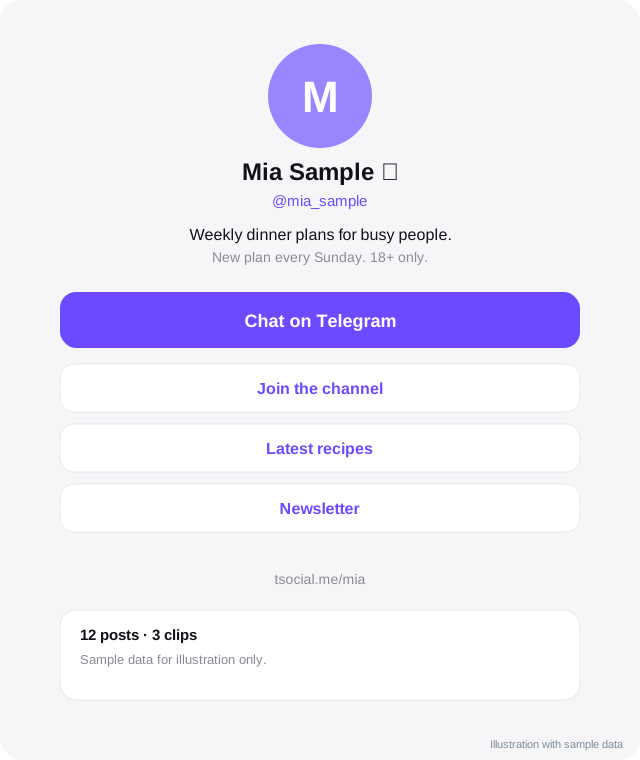
Choosing names
- Pick a name that is easy to say aloud and spell. Test it on someone who has not seen it.
- Keep the bot username and the domain as close as possible, for example the same short word.
- Avoid trademarks that belong to others, and avoid names that look like official Telegram accounts.
- Check availability of the username, the domain and your name on the other platforms you use before you commit.
- Choose a name that will still make sense in three years. Do not tie it to a trend.
The bot username is difficult to change later without breaking links, so treat it as permanent.
Logo, colours and themes
- Create one simple logo that works at very small sizes, such as the round bot avatar.
- Choose one main colour and one or two neutrals.
- Support light and dark themes. Mini Apps can read the theme from Telegram and match the user's choice.
- Check contrast so that text is readable.
- Export the logo in the formats you need: a square icon, a larger logo and a version with a transparent background.
- Keep a short brand sheet with colour codes and fonts, so anyone working on your app stays consistent.
Your own domain
A custom domain makes your app feel like a real product and keeps you from depending on someone else's address. Points to consider:
- Registration. Register the domain in the name of your company or yourself, not in a vendor's name. Keep the login and recovery options.
- HTTPS. Mini Apps must be served over HTTPS. Use a valid certificate and renew it automatically.
- Subdomains. A common layout is the main site on the root domain and the app on a subdomain such as
app.yourbrand.example. Pick one and stay with it. - DNS access. Know who controls the DNS records. A vendor can manage them for you, but you should be able to take them back.
- Redirects. If you change domains, add permanent redirects from the old one so links keep working.
- Email. Set up a contact address on the domain and proper email authentication records, so your messages are not marked as spam.
Search visibility
Public pages that sit on your domain can appear in search results. To help them:
- Give every page a clear title and description.
- Use clean, readable addresses.
- Add a sitemap and robots file.
- Keep public pages safe for work and fast on mobile.
- Link between related pages.
See Telegram channel SEO for the channel side. Pages inside the Mini App that need login will not be indexed, so put the pages you want found on public routes.
Legal and trust pages
At minimum, publish a short privacy note, terms of use, content rules, a contact address and an 18+ notice if your app is for adults. Name the company or person responsible. If you collect data from people in regions with data protection laws, learn the basics or ask a professional.
Ownership checklist
Before you sign with a vendor or start building, make sure you own or control:
- The bot, including the right to change its token in BotFather.
- The domain registration.
- The hosting account or at least an export of everything.
- The code, or a licence that allows you to keep running it.
- The database and the right to export it.
- The logo and brand files.
See what to ask a white label vendor.
Launch checklist
- Bot name, username, picture and description set.
- Mini App title and icon set.
- Domain live over HTTPS, with redirects tested.
- Light and dark themes tested.
- Legal pages and contact address published.
- Sitemap and robots file in place.
- Links tested from inside Telegram and from a browser.
- A person assigned to answer messages.
Talk to us
If you would like help choosing names, setting up a domain and branding a Mini App for your agency or community, contact us and tell us what you are planning.
Frequently asked questions
Can I change the bot username later?
It is restricted and breaks old links, so choose carefully.
Do I need my own domain?
Not strictly, but it gives you control and better brand recognition. It also lets you move hosting without changing your address.
Who should register the domain?
You should, in your own name or your company's name, with recovery options you control.
Does Telegram verify my brand?
Telegram has verification for some official accounts under its own rules. A verified badge is not guaranteed. Build trust with clear, consistent information.
Related guides
White Label Telegram Mini App for Creators and a Directory of Your Own
What a white label Telegram Mini App and creator directory is, who it suits, what you can brand, what to plan and how a build usually goes.
What to Ask a White Label Telegram Mini App Vendor
A buyer's checklist for agencies and creators hiring a white label Telegram Mini App provider: ownership, data, rules, support, costs, exit and red flags.
Choosing a Telegram Channel Name and Username
How to pick a channel name, username and profile picture that are memorable, searchable and safe to keep: rules, examples and mistakes to avoid.
Telegram Mini Apps for Creators: What They Can Do
How creators can use Telegram Mini Apps: link pages, shops, member areas, games and tools. Includes launch options, Stars, design and safety tips.
Telegram Channel SEO: Be Found in Telegram Search and Google
How to help people find your Telegram channel: names, usernames, descriptions, keywords, links from the web and Telegram's own search.
A White Label Creator Link and Mini App on Telegram, Under Your Brand
How agencies and creators can offer a branded link page and chat Mini App on Telegram: profile, links, chat button, paid access options and safe-for-work setup.
All topics: White label Mini Apps · Guide index · Explore Telegram · About TSocial