
Telegram Inline Bots Explained: Results in Any Chat
· 4 min read · 18+ readers

An inline bot works from the message box of any chat. A user types the bot's username followed by a query, such as @yourbot summer, and a list of results pops up. Tapping one sends it into the chat. Inline mode is how people share links, files, quotes and cards without leaving a conversation. This guide explains how to turn it on and answer queries. Verify field names against the Bot API reference.
When inline mode is useful
- Sharing your links or latest post into any chat with one tap.
- Search: products, articles, creators, GIFs, sounds.
- Quick cards that carry a button to open your bot or Mini App.
- Letting fans recommend you to friends without copying a URL.
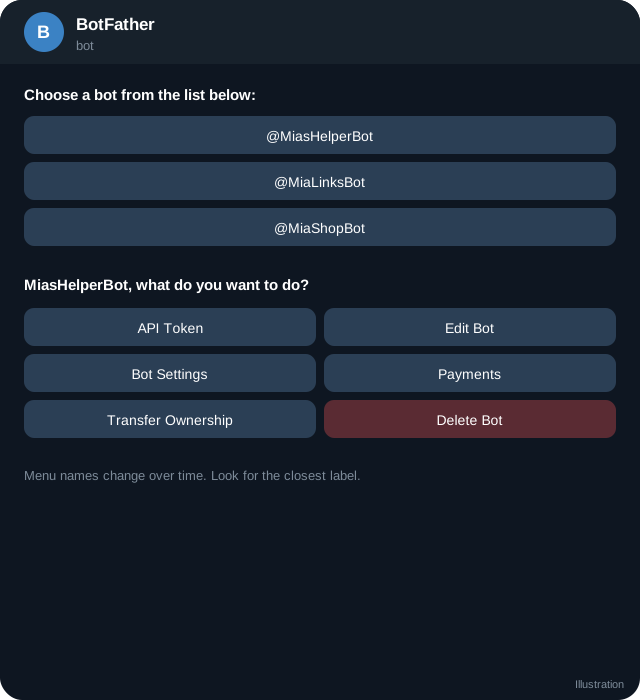
Step 1: Turn it on
In BotFather send /setinline, choose the bot and send a short placeholder, for example Search guides. This text shows in the message box when the user starts typing the username. Without it,  Telegram will not send you inline queries.
Optionally use /setinlinefeedback to receive chosen_inline_result updates telling you which result was selected. This is useful for statistics.
Step 2: Receive the query
You get an inline_query update:
{
  "update_id": 200,
  "inline_query": {
    "id": "4321",
    "from": { "id": 777, "first_name": "Sam" },
    "query": "summer",
    "offset": ""
  }
}
The query may be empty when the user has just typed the bot name. Decide whether to show defaults or nothing.
Step 3: Answer within a few seconds
Call answerInlineQuery with the query id and an array of results:
{
  "inline_query_id": "4321",
  "cache_time": 60,
  "results": [
    {
      "type": "article",
      "id": "guide-1",
      "title": "Telegram Stars guide",
      "description": "How creators use Stars",
      "input_message_content": { "message_text": "Telegram Stars guide: https://tsocial.me/guides/telegram-stars-explained" },
      "reply_markup": { "inline_keyboard": [[ { "text": "Read", "url": "https://tsocial.me/guides/telegram-stars-explained" } ]] }
    }
  ]
}idmust be unique within the answer and up to 64 bytes.cache_timeis how long Telegram may reuse the answer, in seconds. Use a larger value for stable content.is_personaltells Telegram the results depend on the user, so it will not share the cache between users.- Telegram limits the number of results per answer, and supports paging with
next_offset. Check the documentation for the number.
Result types
Besides article, there are types for photos, GIFs, videos, audio, documents, locations, contacts, venues and stickers. Each has a URL form and a cached form that uses a file_id. Pick the type that matches what you want to send, and check that the URLs are public and reachable by Telegram.
Switching to private chat
You can set button in answerInlineQuery with start_parameter, which shows a button at the top of the result list that takes the user to a private chat with the bot. This is helpful when the user must log in or finish a step before results can appear. See deep links and start parameters.
Performance tips
- Answer quickly. Slow answers show a spinner and may time out.
- Cache what you can.
- Keep titles short and descriptions informative.
- Do not run heavy searches on every keystroke. Debounce with caching.
Rules and etiquette
- Do not send spam into chats through inline results.
- Make results honest and relevant.
- Respect privacy. Inline queries show what the user typed, so treat it as personal data.
- If your results include adult-oriented content, check Telegram's terms. Keep public results safe for work.
A tiny search bot
async function onInline(q) {
  const found = GUIDES.filter((g) => g.title.toLowerCase().includes(q.query.toLowerCase())).slice(0, 10);
  await api("answerInlineQuery", {
    inline_query_id: q.id, cache_time: 300,
    results: found.map((g) => ({
      type: "article", id: g.slug, title: g.title, description: g.description,
      input_message_content: { message_text: `${g.title}\n${g.url}` },
    })),
  });
}
Quick checklist
- Inline mode enabled with a placeholder in BotFather.
- inline_query is included in allowed_updates.
- Answers return within a few seconds.
- Each result has a unique id under 64 bytes.
- cache_time is set sensibly.
- Results are honest, relevant and safe for work.
- Queries are treated as personal data.
- Chosen result feedback is enabled only if you use it.
Where inline mode shines
Inline mode works best when the result is something people already want to paste into a chat: a link, a short card, a reference. If you find yourself building a long conversation inside inline results, move that experience into a private chat with buttons and use inline mode only to hand people over.
Frequently asked questions
Can inline bots work in groups?
Yes, anyone can use inline mode in any chat, and the bot does not need to be a member.
Do I need a webhook?
Inline queries arrive like other updates, by polling or webhook.
Why do I get no queries?
Inline mode is off in BotFather, or allowed_updates excludes inline_query.
Can inline results open a Mini App?
Results can carry buttons, and some result features link to Mini Apps. See the Mini Apps documentation for current options.
Related guides
BotFather Commands: What Each One Does
A reference to BotFather, Telegram's tool for creating and managing bots: the main commands, settings menus, what they change and what to watch out for.
Telegram Bot API Basics: Methods, Updates and Responses
How the Telegram Bot API works: URL format, JSON responses, update objects, common methods, parse modes, keyboards and how to read errors.
Inline Keyboards and Callback Queries in Telegram Bots
Build button menus with InlineKeyboardMarkup: callback_data, answerCallbackQuery, editing messages in place, URL and web_app buttons, paging and limits.

Telegram Bots for Creators: 8 Useful Jobs a Bot Can Do
What a Telegram bot can do for a creator: welcome menus, FAQs, link delivery, polls, giveaways, payments with Stars and moderation, with safety tips.
Telegram Deep Links and Start Parameters
All the t.me link formats creators and developers need: start, startgroup, startchannel, startapp, usernames, invites and how to use payloads to track sources.
A Telegram Webhook on AWS Lambda or a Small Server
Two ways to receive Telegram updates: an AWS Lambda function URL and a tiny Node server behind HTTPS, with secret token checks, fast replies and queues.
More in Build on Telegram
- Add a Bot as Channel Admin and Post to Your Channel
- Bot Privacy Mode and Group Admin Rights Explained
- Common Telegram Bot Errors and How to Fix Them
- Connect a Bot to Your Telegram Business Account (Chatbot Mode)
All topics: Build on Telegram · Guide index · Explore Telegram · About TSocial