
Submit Your Telegram Bot or Mini App to Directories
· 4 min read · 18+ readers

Building a bot or Mini App is half the job. People also need to find it. Directories are websites and bots that list  Telegram bots, channels and Mini Apps, and they send some traffic to well described listings. This guide gives a checklist for preparing your listing, where to submit and how to avoid the mistakes that get submissions rejected. For the general idea, see how to get listed in a directory.
Prepare before you submit
A good directory entry is mostly your own bot profile, so fix that first. See setting description, commands and photo.
- A clear name and a username people can remember.
- A profile photo that reads at a small size.
- A description that says what the bot does, for whom and how to start.
- Working commands and a tested start flow.
- A privacy note and a contact or support command.
- A working Mini App link, if you have one:
https://t.me/yourbot/appname. - Content that is safe for work on public pages, and a clear 18+ notice if relevant.
Test as a stranger with a second account before inviting anyone. See testing.
Write the listing
Directories usually ask for:
- Title: the bot name, optionally with a plain descriptor, such as "Mia's Helper: weekly recipes".
- Short description: one line for list views.
- Long description: two or three short paragraphs with the main features, who it is for and any limits.
- Category and tags: choose the closest category, and a few honest tags.
- Language: the language of your bot.
- Link: a
t.melink. Add a start parameter to track traffic from the directory, for example?start=dir_tsocial. See deep links. - Images: a logo and, if allowed, two or three screenshots.
Write for humans. Avoid keyword stuffing and avoid claims you cannot support, such as "number one bot".
Where to submit
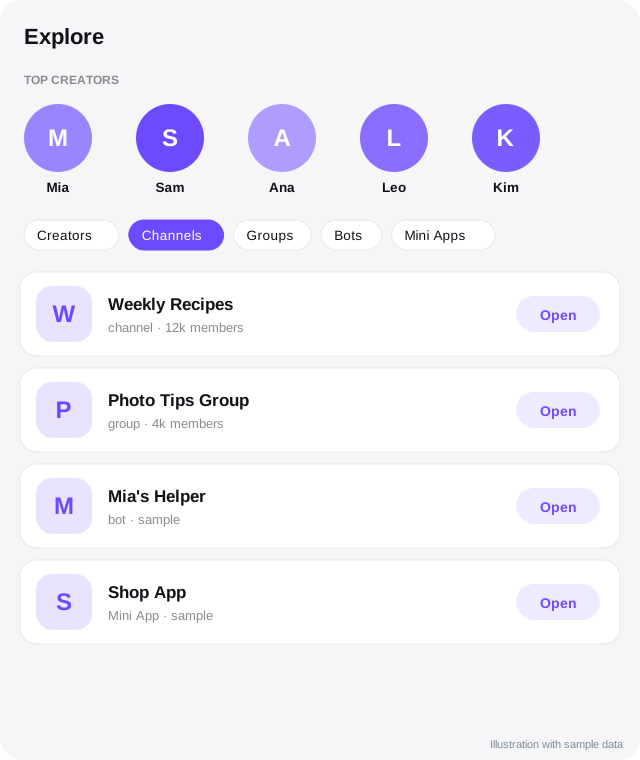
 TSocial Explore: you can list a bot, channel, group or Mini App for free by entering its username in Explore. Listings show the real Telegram name, photo and description, and can appear on topic pages such as best Telegram bots.
- Other directories: search for lists of Telegram bots, channels and Mini Apps, check how recent they are, who runs them and whether they have real traffic.
- Telegram's own search: make sure your bot's name and short description contain the words people type.
- Communities and channels: announce your bot in relevant groups that allow it, following their rules.
Avoid directories that ask for payment up front with promises of guaranteed users, ask for your token or login codes, or look abandoned.
Quality signals reviewers look for
- The bot responds quickly to Start.
- The description matches what the bot does.
- No misleading or explicit public content.
- A working privacy and support route.
- Not a copy of someone else's bot.
After listing
- Check the listing from a normal account.
- Track joins by start parameter.
- Update the listing when features change.
- Reply to feedback.
- Do not keep resubmitting. One good listing per directory is enough.
Keep your own page too
A simple page on your own domain that describes the bot, shows screenshots and links to Telegram gives people and search engines a stable reference. Link it from your listings.
Common reasons for rejection
- Broken link or a bot that does not reply.
- Misleading or copied description.
- Adult content on public pages.
- Spammy tags or unrelated categories.
- Bots that collect sensitive data without explanation.
Quick checklist
- Bot or Mini App link tested from a second account.
- Profile photo, description and commands finished.
- A listing title and two paragraphs written for humans.
- Honest category and a few relevant tags.
- A start parameter added to track the directory.
- A privacy note and a support route available.
- Public pages safe for work with an 18+ notice where relevant.
- One submission per directory, not repeated attempts.
Measuring the result
After a few weeks, count how many starts came from each directory using the start parameter, and how many of those people used the bot twice. Keep the directories that send engaged users and stop spending time on the rest. A small number of good listings beats dozens of thin ones.
Frequently asked questions
Is listing free?
Many directories are free. Some offer paid promotion. Read the terms.
Will a listing bring many users?
It can bring some, but results vary. Combine it with content and community promotion.
Can I list a Mini App?
Yes. Use the direct link to the app. TSocial Explore has a category for Mini Apps.
Do I need to be the owner?
Directories may ask you to prove ownership. Use the official bot or channel profile, not a copy.
Related guides
How to Get Your Channel, Bot or Mini App Listed in a Telegram Directory
Step by step: submit your Telegram channel, group, bot or Mini App to TSocial Explore. Tap +, enter the @username and the details load from Telegram.
Set Your Bot's Description, About Text, Commands and Photo
Make a bot look trustworthy: description, short description, about text, command menu, profile picture and language variants, in BotFather and through the Bot API.
Telegram Deep Links and Start Parameters
All the t.me link formats creators and developers need: start, startgroup, startchannel, startapp, usernames, invites and how to use payloads to track sources.
How to Find Good Telegram Bots (and Avoid Bad Ones)
Telegram bots can save time, entertain and run communities. Here is how to find good Telegram bots, test them safely and spot the ones to avoid.
Telegram Channel SEO: Be Found in Telegram Search and Google
How to help people find your Telegram channel: names, usernames, descriptions, keywords, links from the web and Telegram's own search.
A Telegram Webhook on AWS Lambda or a Small Server
Two ways to receive Telegram updates: an AWS Lambda function URL and a tiny Node server behind HTTPS, with secret token checks, fast replies and queues.
More in Build on Telegram
- Add a Bot as Channel Admin and Post to Your Channel
- Bot Privacy Mode and Group Admin Rights Explained
- BotFather Commands: What Each One Does
- Common Telegram Bot Errors and How to Fix Them
All topics: Build on Telegram · Guide index · Explore Telegram · About TSocial