
TSocial vs Linktree for Telegram Creators
· 4 min read · 18+ readers

 Linktree is one of the best known link in bio services. TSocial offers creator link pages that are built around
 Telegram. They answer the same basic question, "where do I send my followers?", in different ways. We make TSocial, so we are not neutral. We do not quote Linktree's plans or prices, because they change and we did not verify them for this article: check linktree.com for current features and pricing. Adults 18+, safe for work.
What a link in bio page is for
Most social apps allow one link in a profile. A link page puts several links behind that one address. For a Telegram creator the most important link is usually the chat or the channel, so a good page makes that button obvious. See link in bio tools for Telegram creators.
Linktree in general terms
Linktree is a general purpose service used by creators on many platforms. General services tend to offer many themes, integrations with other platforms and analytics, with free and paid levels. Because it serves every platform, its templates are not specific to Telegram. We have not tested its Telegram features, so we cannot say how it handles chats or Mini Apps.
TSocial link pages in general terms
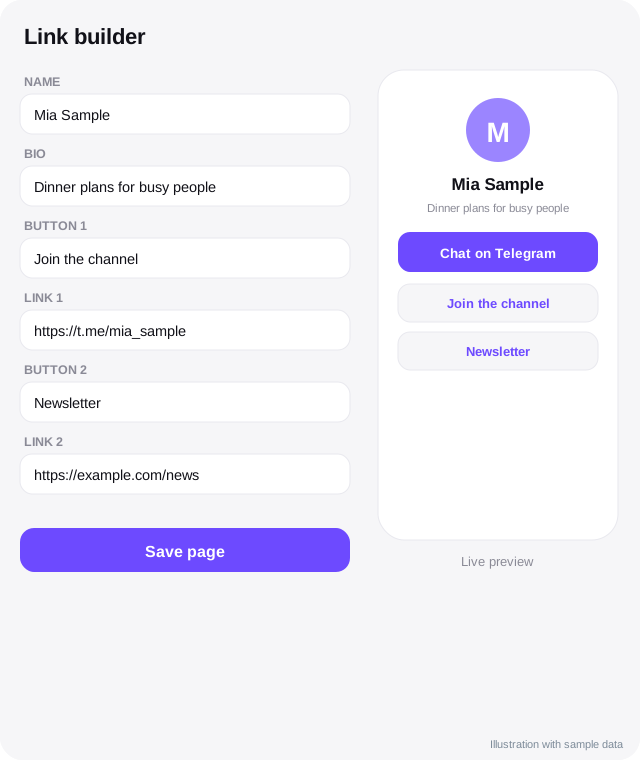
A  TSocial profile page is built for Telegram: a big "Chat on Telegram" button, links to your channel, bots and Mini Apps, an 18+ notice where relevant, and a dark address on telesocial.me as well as tsocial.me. The link builder lets you choose a look and see a live preview. At the time of writing the link builder costs 99 Stars once per account, which covers both addresses; check the app for the current price. Profiles can also appear in the free Explore directory.
Side by side
| Product | Built for | What to verify yourself |
|---|---|---|
| Linktree | Creators on many platforms | Current plans, features and rules on its site |
| TSocial | Telegram creators | Current price and features in the app |
| Question | Linktree | TSocial |
|---|---|---|
| Telegram first design | General purpose | Yes |
| Free directory of Telegram channels, bots and Mini Apps | Not its purpose | Yes, free to list |
| Pricing model | See its site | Stars, once for the link builder |
| Works on any social platform's bio | Yes | Yes, it is a normal web link |
| Shoutout swaps and growth guides | Not its purpose | Yes, free |
How to choose
- Your audience is on many platforms and you want maximum design options: a general service may fit.
- Your goal is to send people to Telegram and be found by Telegram users: a Telegram-first page and directory may fit.
- You are on a tight budget: compare a recurring plan with a one-time Stars payment, using the real numbers from each site today.
- You care about rules: check how each service treats your content type.
Using both
You can put a Linktree address in one bio and a TSocial address in another, or link from one to the other. Keep your story consistent: the same name, photo and main button everywhere. Use a unique tag per link so that you can measure which one brings people to your channel. See Instagram to Telegram and pinned posts and bios.
A checklist before you switch
- Export or write down your current links.
- Check that your new page loads fast on a phone.
- Test every button from inside and outside Telegram.
- Keep the old page live until traffic has moved.
- Review clicks after two weeks.
Quick checklist
- Decide which platform's bio you are linking from.
- Put the Telegram chat or channel button first.
- Compare real prices on both sites today.
- Test loading speed on mobile data.
- Use a unique tag for each bio link.
- Keep the same name and photo everywhere.
- Check content rules for your type of content.
- Review clicks after two weeks.
A short example
A fitness coach uses a general link page in her  Instagram bio and a Telegram-first page in her
 TikTok bio, each with a different tag. After two weeks she sees which one sends more people to her channel and keeps that one as the main link. Nothing about the choice is permanent, and she can change it whenever her numbers change.
Frequently asked questions
Is TSocial a Linktree replacement?
For Telegram creators it can be, but they are different products. Compare what you actually need.
Which is cheaper?
It depends on the plan you need. Look up current prices and compare them over a year.
Does Linktree support Telegram links?
Telegram links are ordinary web links, so any link page can include them. We did not test deeper features.
Can I use telesocial.me instead of tsocial.me?
Yes. The link builder covers both addresses, and the telesocial.me page uses a darker look.
Related guides
Telegram Link in Bio Tools Compared: Linktree, TSocial and More
A decision guide to link in bio and creator page tools for Telegram creators: types of tools, what to check, an example grid and how to test.
Link in Bio Tools for Telegram Creators
What a link in bio page is, what to put on it, how to choose between tools, track clicks and keep your Telegram link front and centre.
TSocial vs TLINK.ME for Telegram Creators: A Fair Comparison
How TSocial and TLINK.ME differ, based on TLINK.ME's own public site on 6 November 2026, with what we could not verify and who each tool suits.
Bios and Pinned Posts That Turn Visitors into Followers
Write a Telegram bio, channel description and pinned post that explain who you are, what people get and what to do next, with examples and checks.
Instagram to Telegram: Move Followers to a Channel You Control
How to bring Instagram followers to a Telegram channel: bio link, Stories, Reels, broadcast channels, wording that works and rules to respect.
Best Telescope Alternatives for Telegram Creators
Options to consider alongside or instead of Telescope: link pages, directories, memberships, community tools and Telegram's own features, with fair caveats.
More in Link tools compared
- Best TLINK.ME Alternatives for Telegram Creators
- Telescope and TLINK.ME Pricing and Features Explained: What Is Public
- Telescope vs TLINK.ME Compared (From Their Public Pages)
- TSocial vs Telescope for Telegram Creators: An Honest Comparison
All topics: Link tools compared · Guide index · Explore Telegram · About TSocial